Cashington
Guides Every month
Close a month
What you'll do
Closing a month is how you say it's done. Cashington checks that the rows add up to what your statements say, lists anything still open, then freezes the month: its totals and balances are captured and it becomes read-only.
Before you start: The month's statements imported for each account.
Updated October 2026 · Cashington 0.2.3 · 6 steps · screenshots show an invented household
-
Look at the Balance check
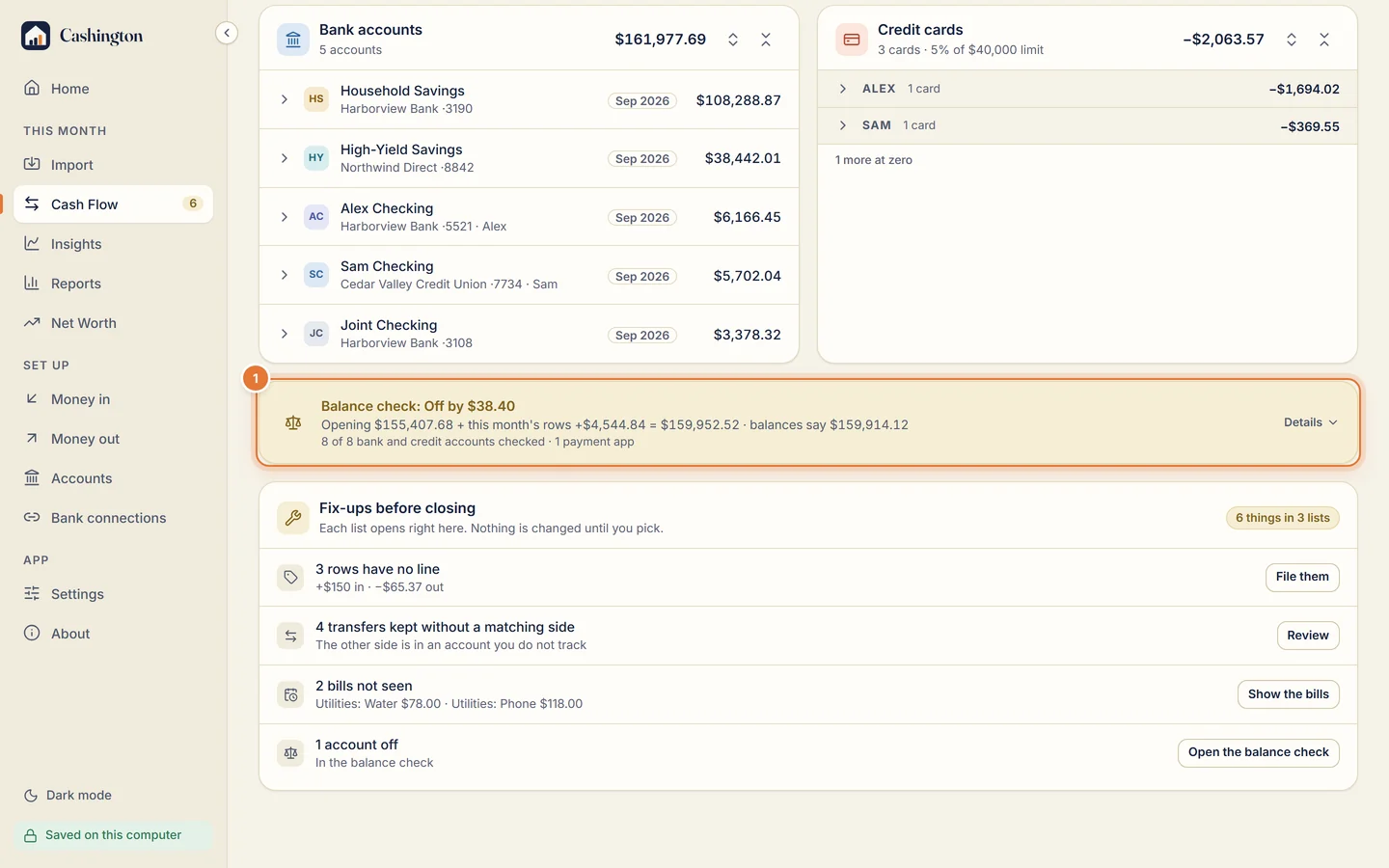
Scroll Cash Flow to the Balance check. It adds this month's rows to each account's opening balance and compares the result with the balances your statements give.
-
Find what's off
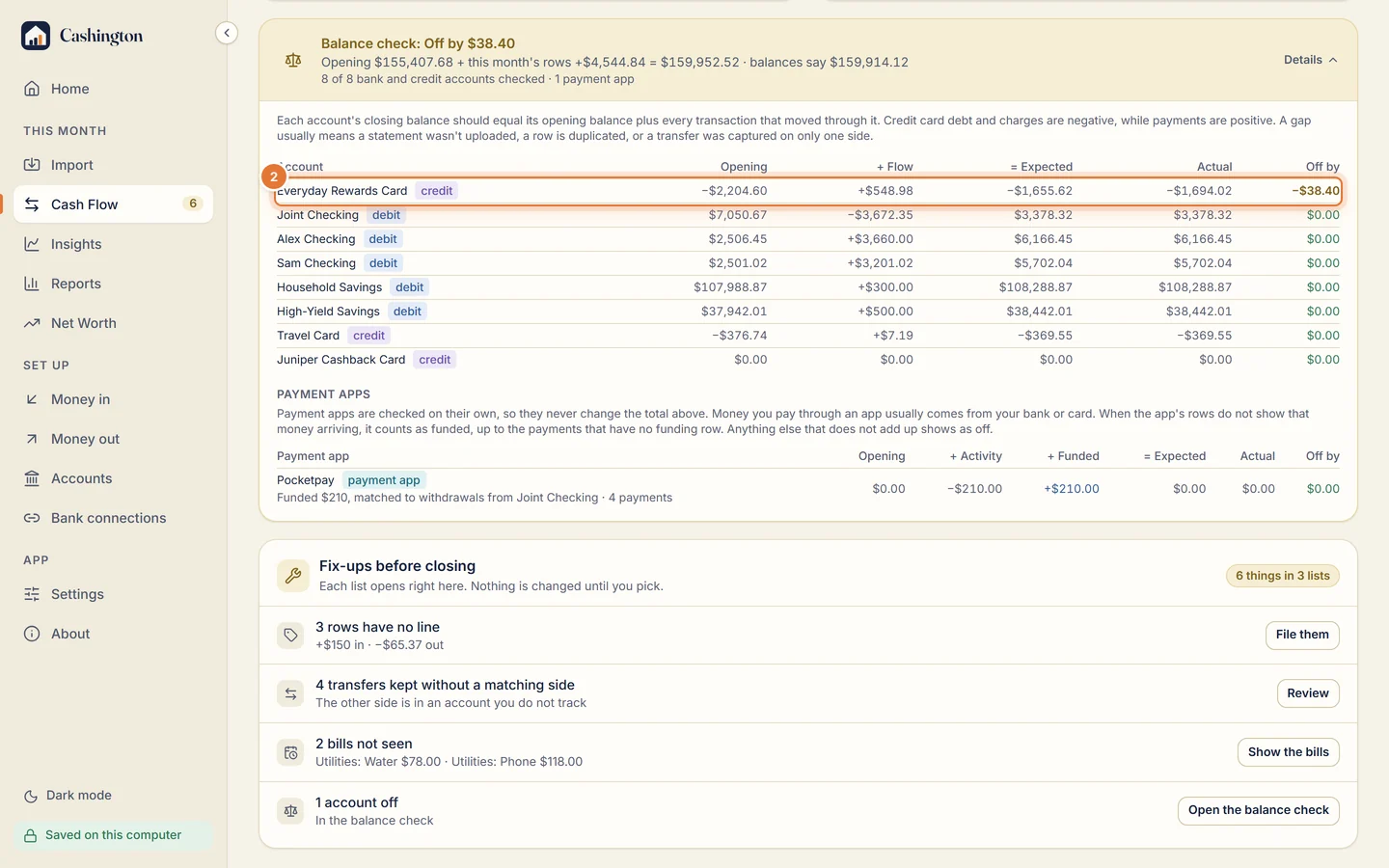
Open Details to see which account is off and by how much. The usual causes are a missing statement, a duplicate, a transfer with only one side, or a pending charge.
-
Work through the fix-ups
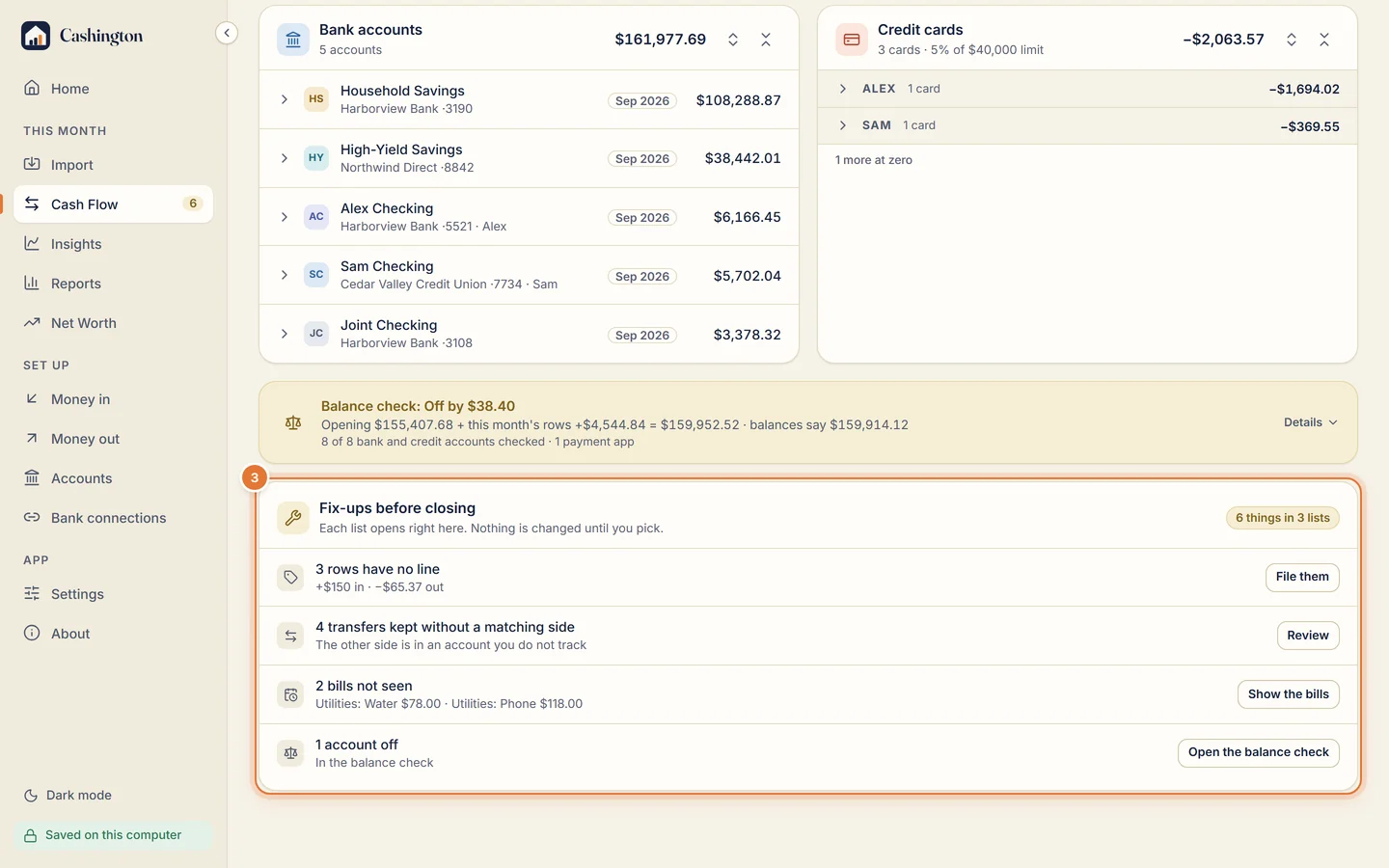
Fix-ups before closing lists what's left: rows with no line, transfers with no other side, bills not seen, accounts that are off. Each list opens in place.
-
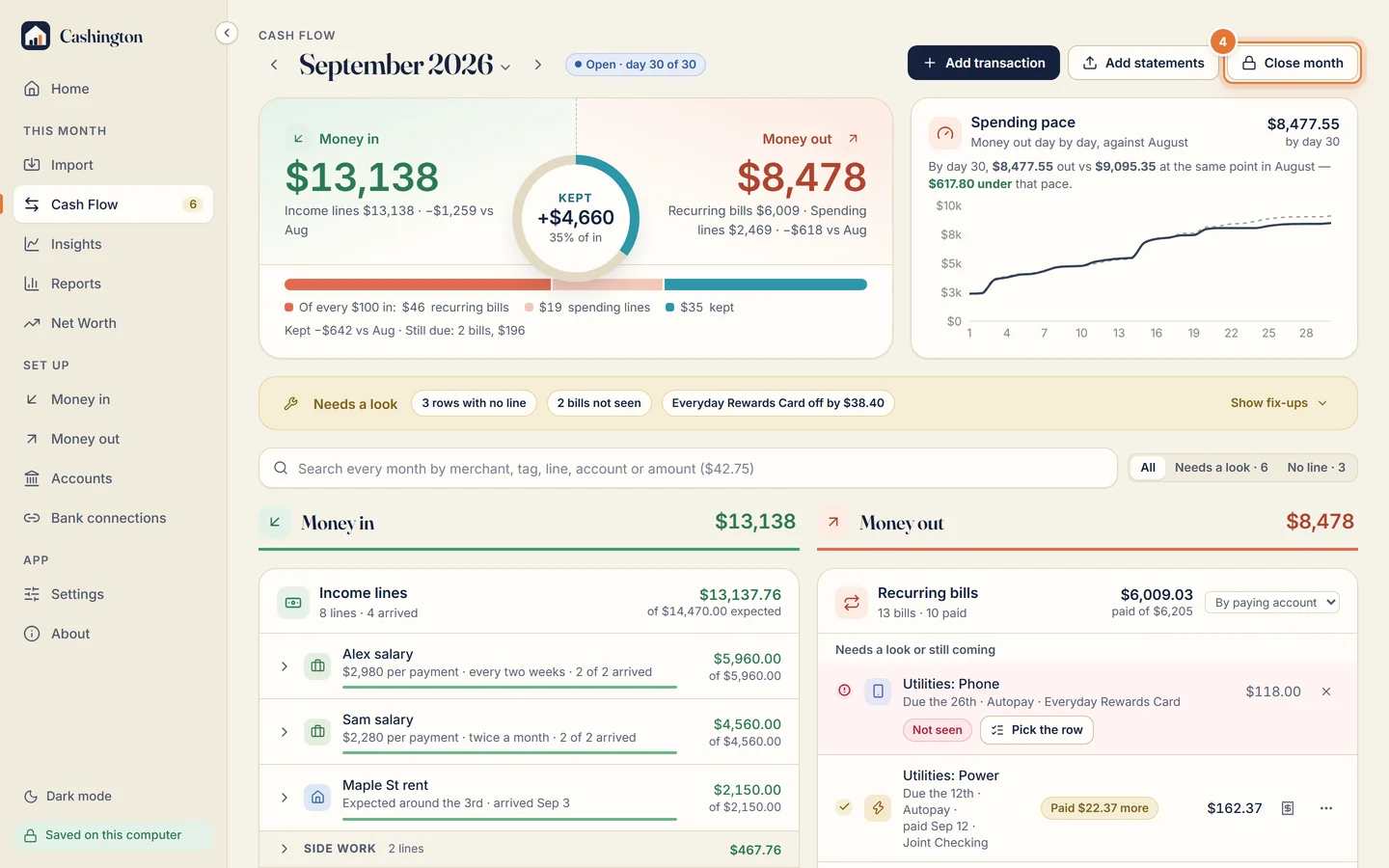
Click Close month
When the month is filed and counted, click Close month at the top of Cash Flow.
-
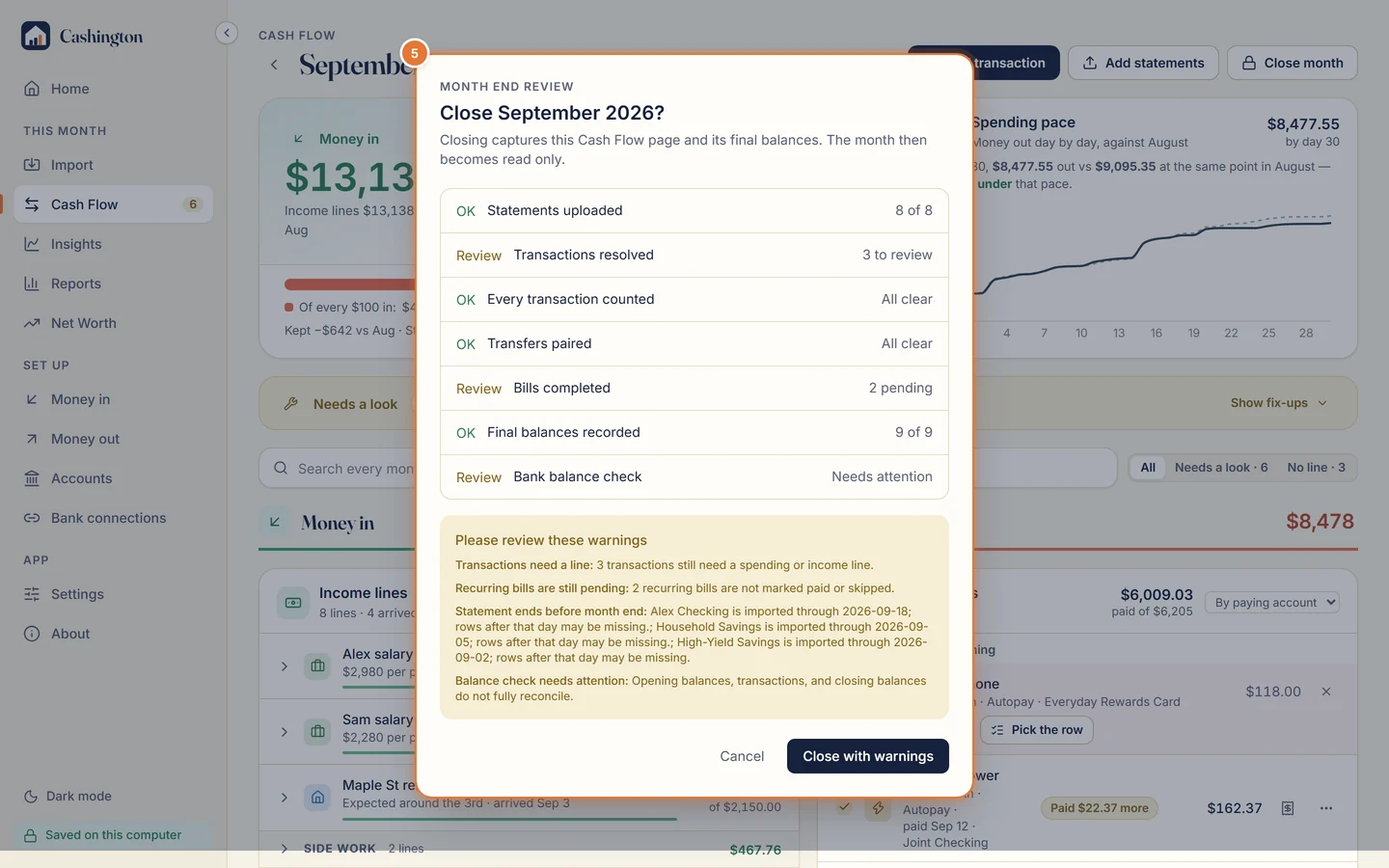
Review and close
Month end review checks statements, lines, transfers, bills and final balances. Close the month, or cancel and fix what it lists first; you can also close with warnings.
-
A closed month is read-only
Its totals and balances were captured when it closed, and nothing changes them: not an import, not a rule. If a late row turns up, Reopen month unlocks it.