Cashington
Guides Now and then
Keep your net worth
What you'll do
Net Worth is a household balance sheet. Your bank and card accounts in Cashington, and the accounts you only track the value of, appear on it by themselves; you add the rest, such as a home, a car or a loan, and give each a dated value. It's kept apart from cash flow, so a new home value never shows up as income.
Updated October 2026 · Cashington 0.2.3 · 7 steps · screenshots show an invented household
-
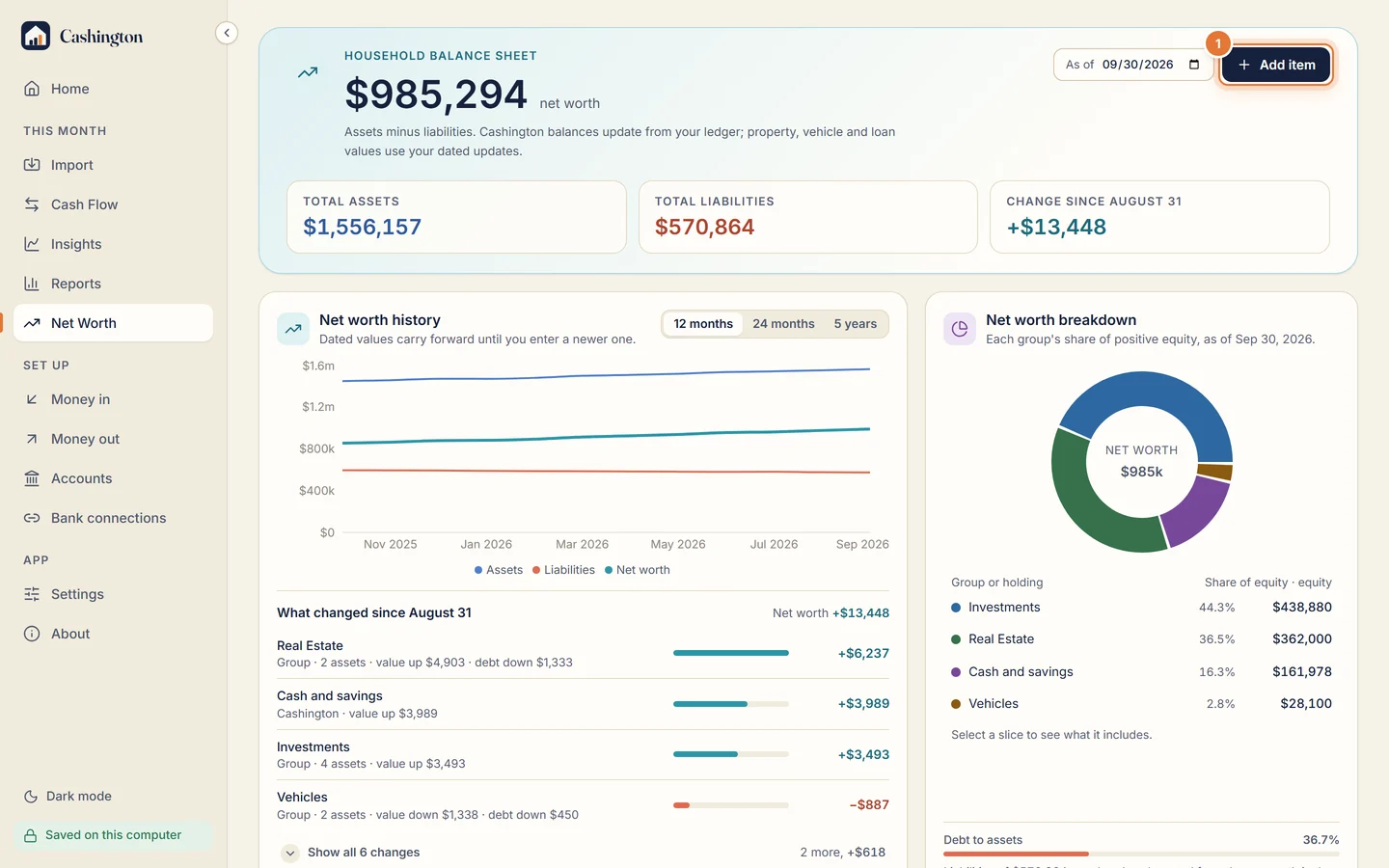
Click Add item
Open Net Worth and click Add item.
-
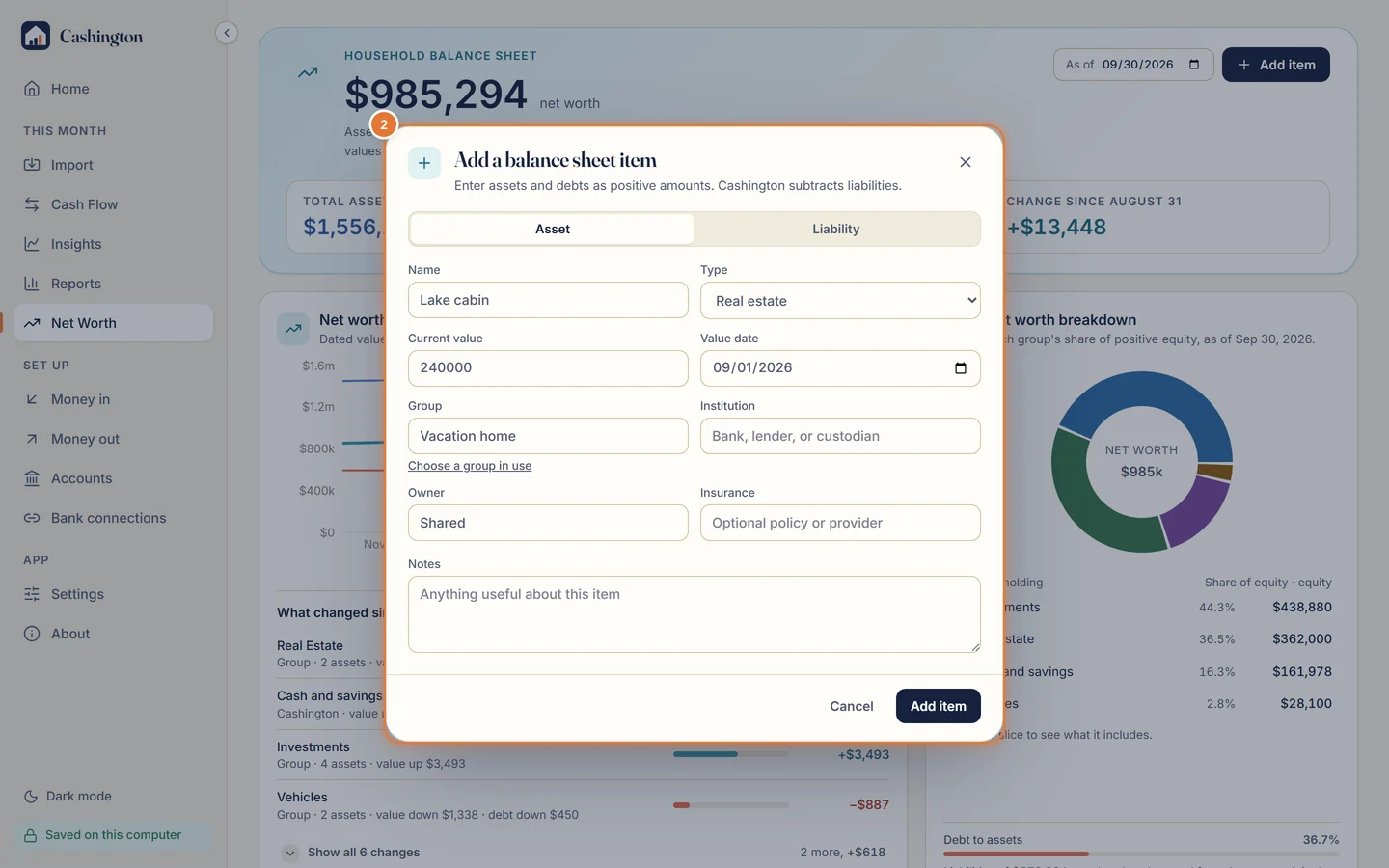
Add an asset
Choose Asset, name it, and pick the type, the current value and its date. Put it in a group (here a new one, Vacation home), then click Add item.
-
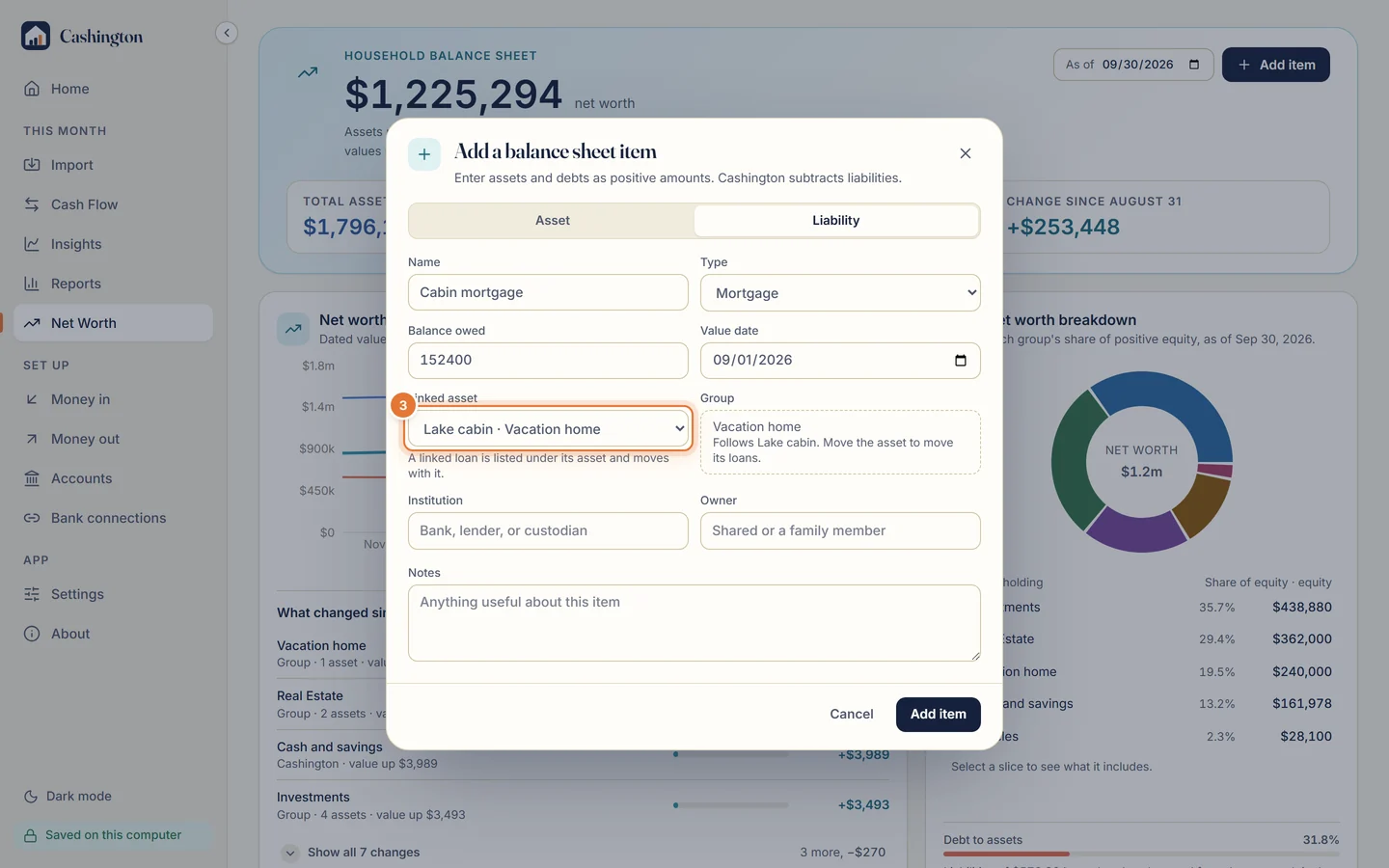
Add its loan and link it
Add the loan as a Liability and link it to the asset. A linked loan is listed under its asset and moves with it: together they're one bundle.
-
See the group
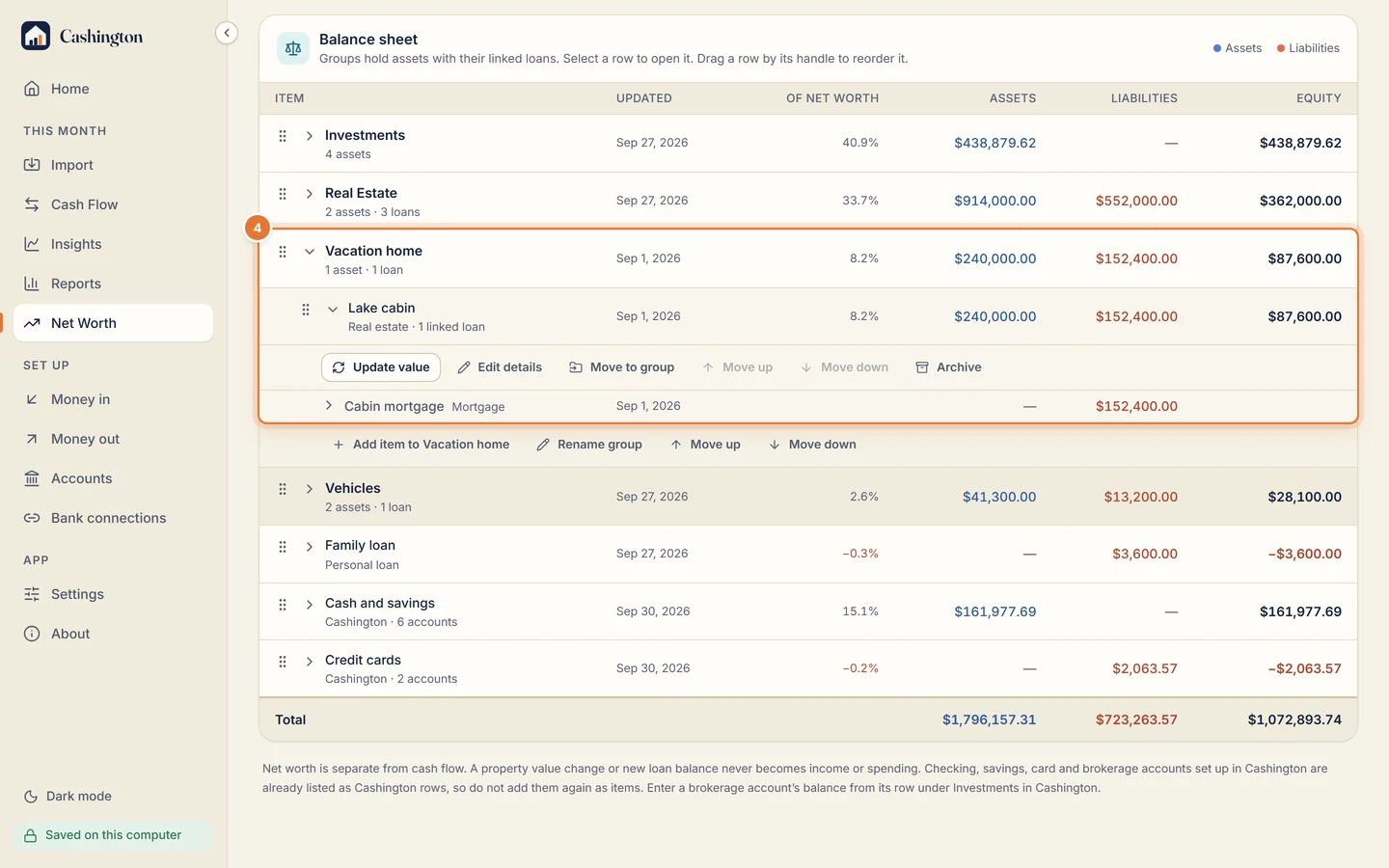
The new group holds the cabin with its mortgage underneath. Equity is the value minus what's owed, and each row shows its share of net worth.
-
Put it in your order
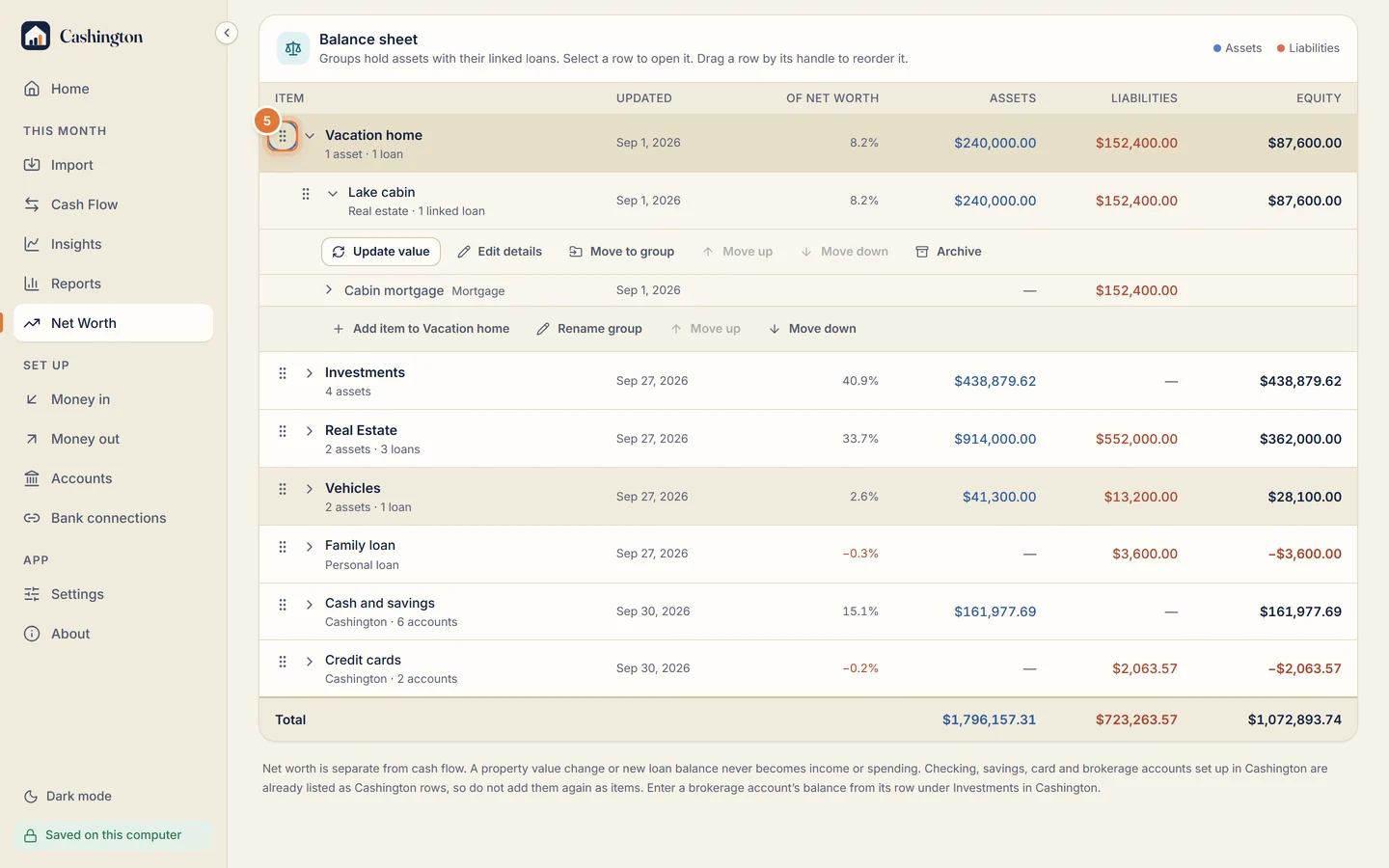
Drag a row by its handle to reorder the sheet, or focus the handle, press Space, move it with the arrow keys and press Space again. Only the order changes, never a total.
-
Update a value
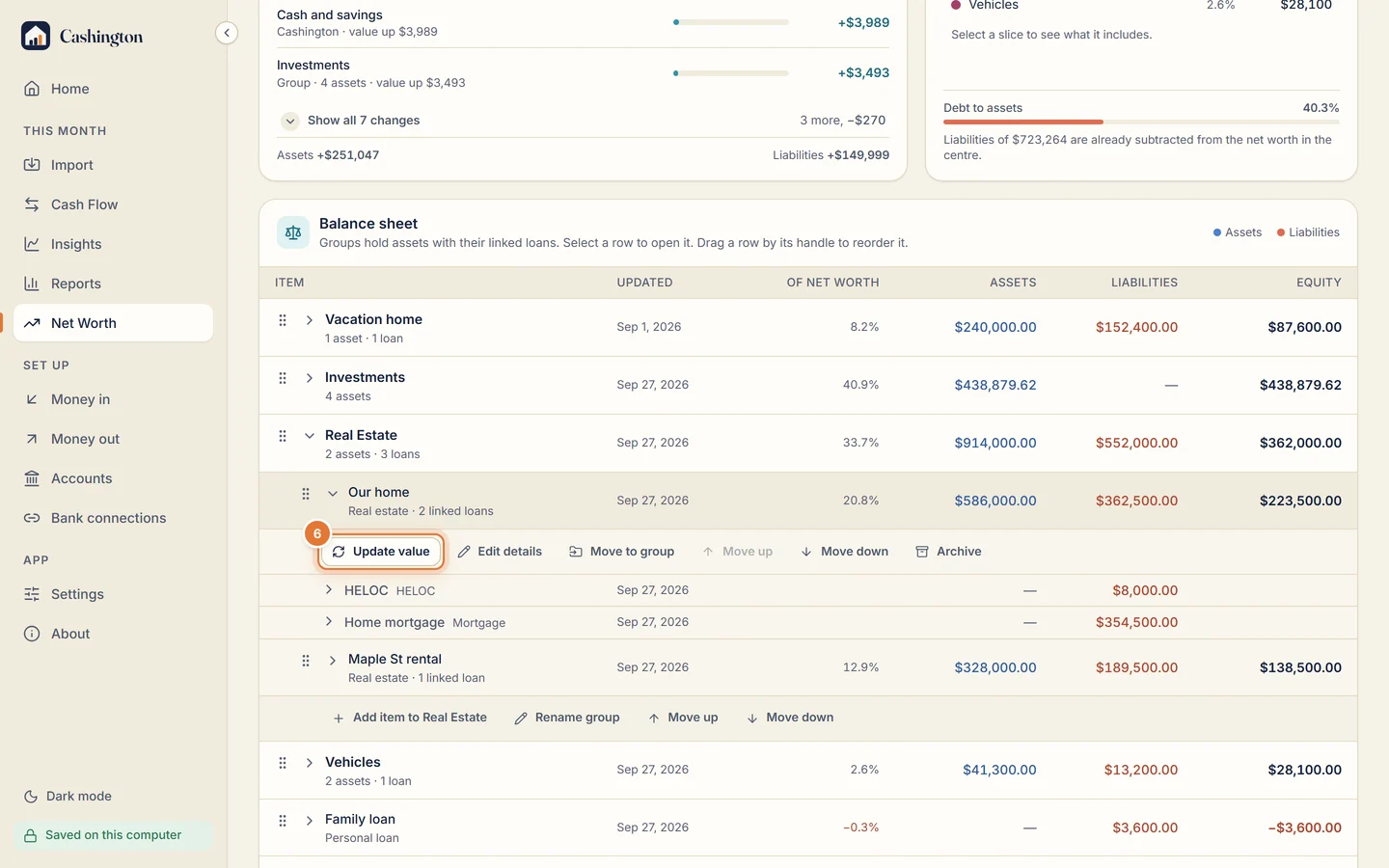
To record a new value, open the item and click Update value.
-
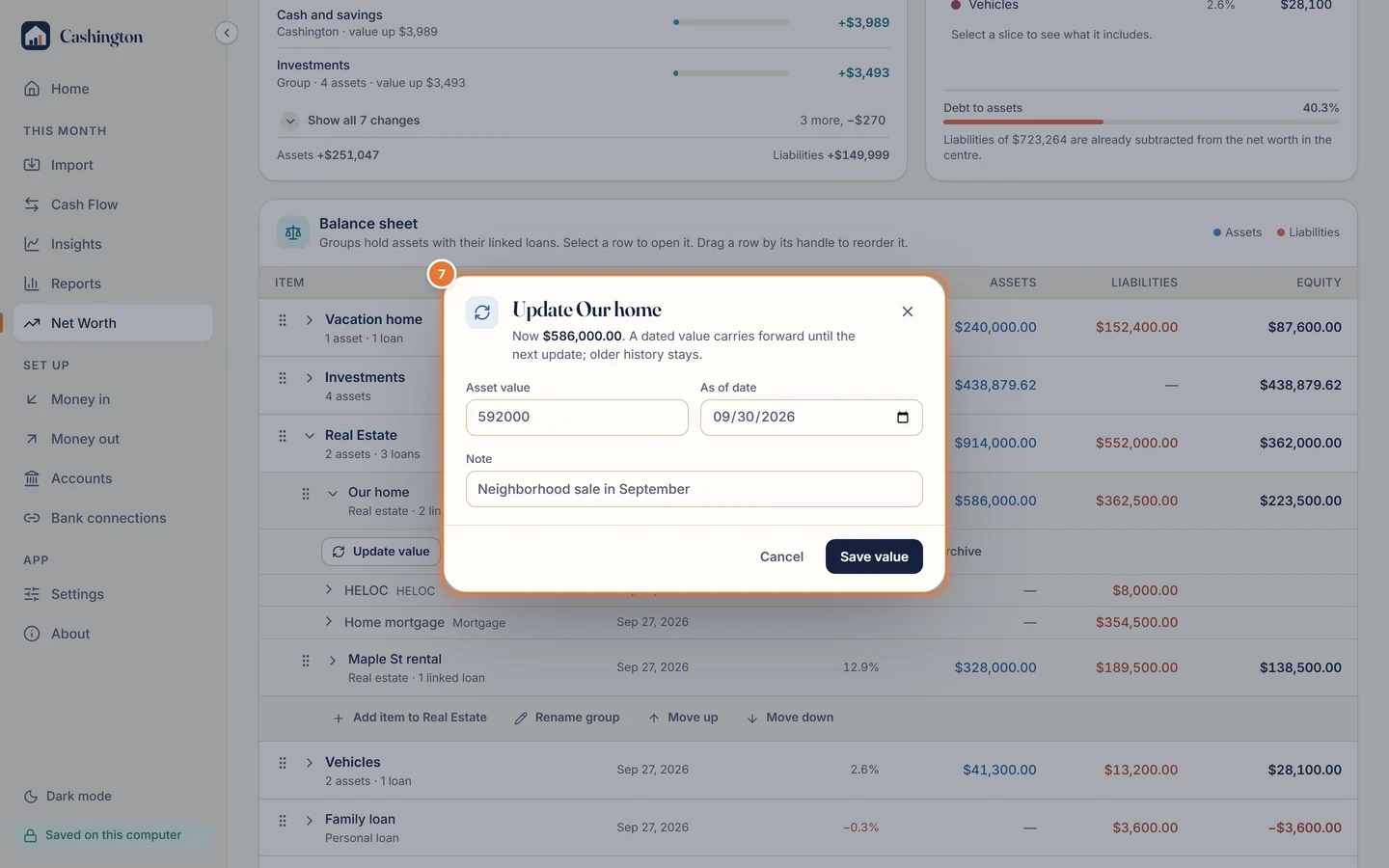
Save the new value
Type the value and its date, then click Save value. A dated value carries forward until the next update, and the older history stays.