Cashington
Guides Every month
File rows and save rules
What you'll do
Every row in Cash Flow belongs somewhere: a spending line such as Groceries, a recurring bill, an income line, or Transfer for money moving between your own accounts. Rows Cashington couldn't file wait in Needs a look. You file them in the transaction drawer, and a rule makes the next one automatic.
Updated October 2026 · Cashington 0.2.3 · 5 steps · screenshots show an invented household
-
Open the rows with no line
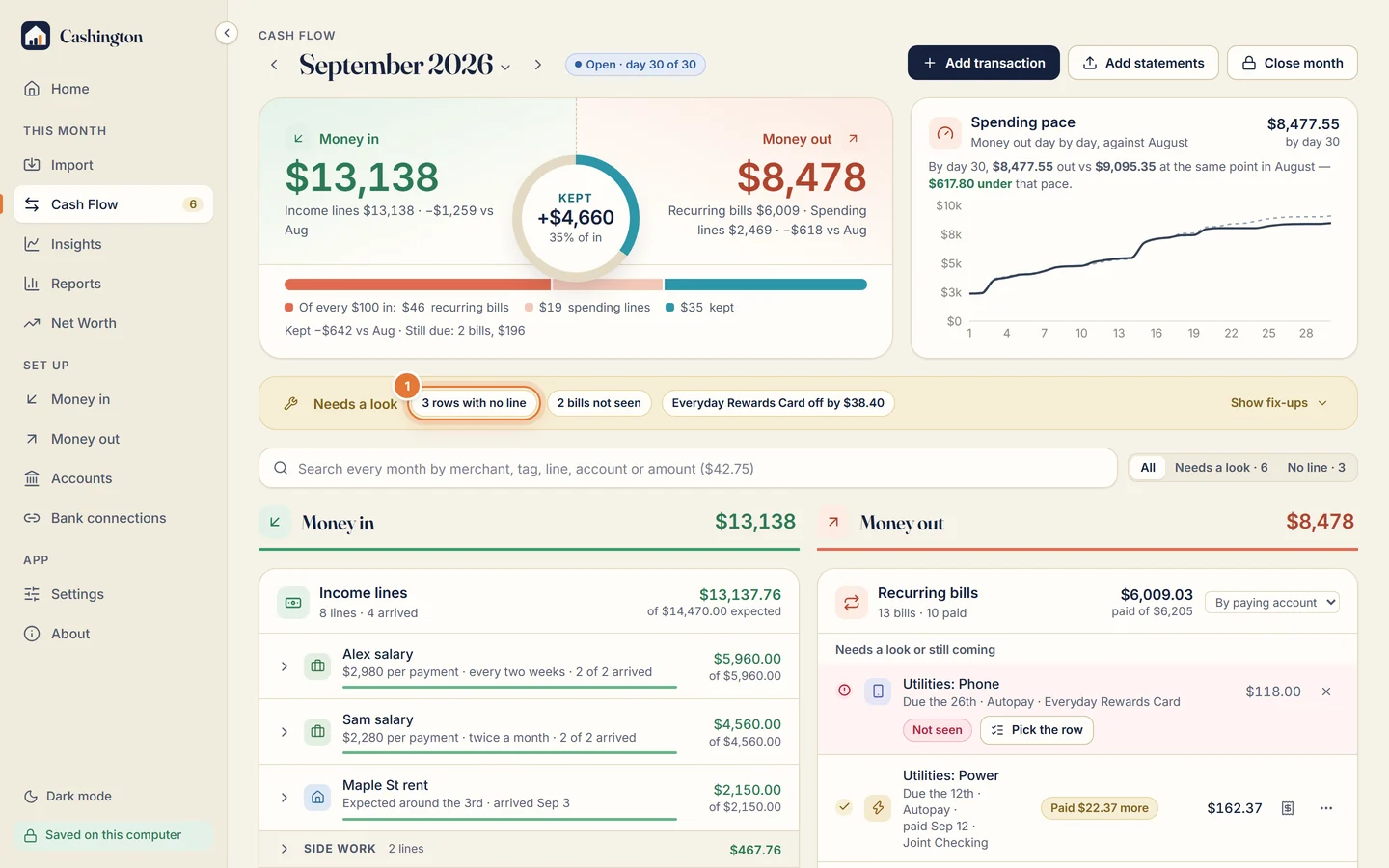
On Cash Flow, the Needs a look bar counts what's left, here 3 rows with no line. Click the chip to open them.
-
Use a quick button, or choose a line
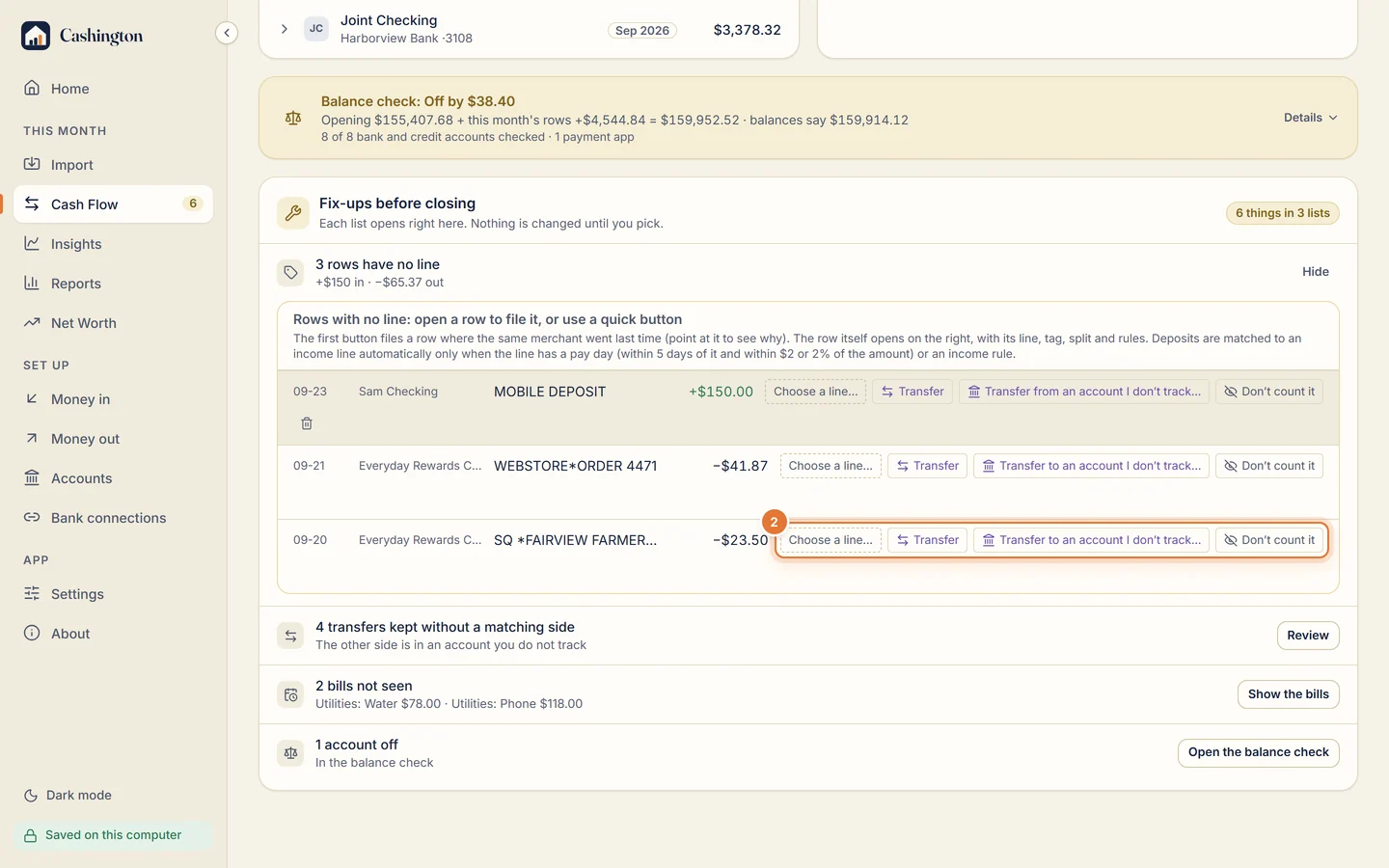
Each row has quick buttons: Transfer if the money moved between your own accounts, Transfer to an account you don't track (such as a brokerage), or Don't count it. To give it a line, click Choose a line.
-
Pick the line in the drawer
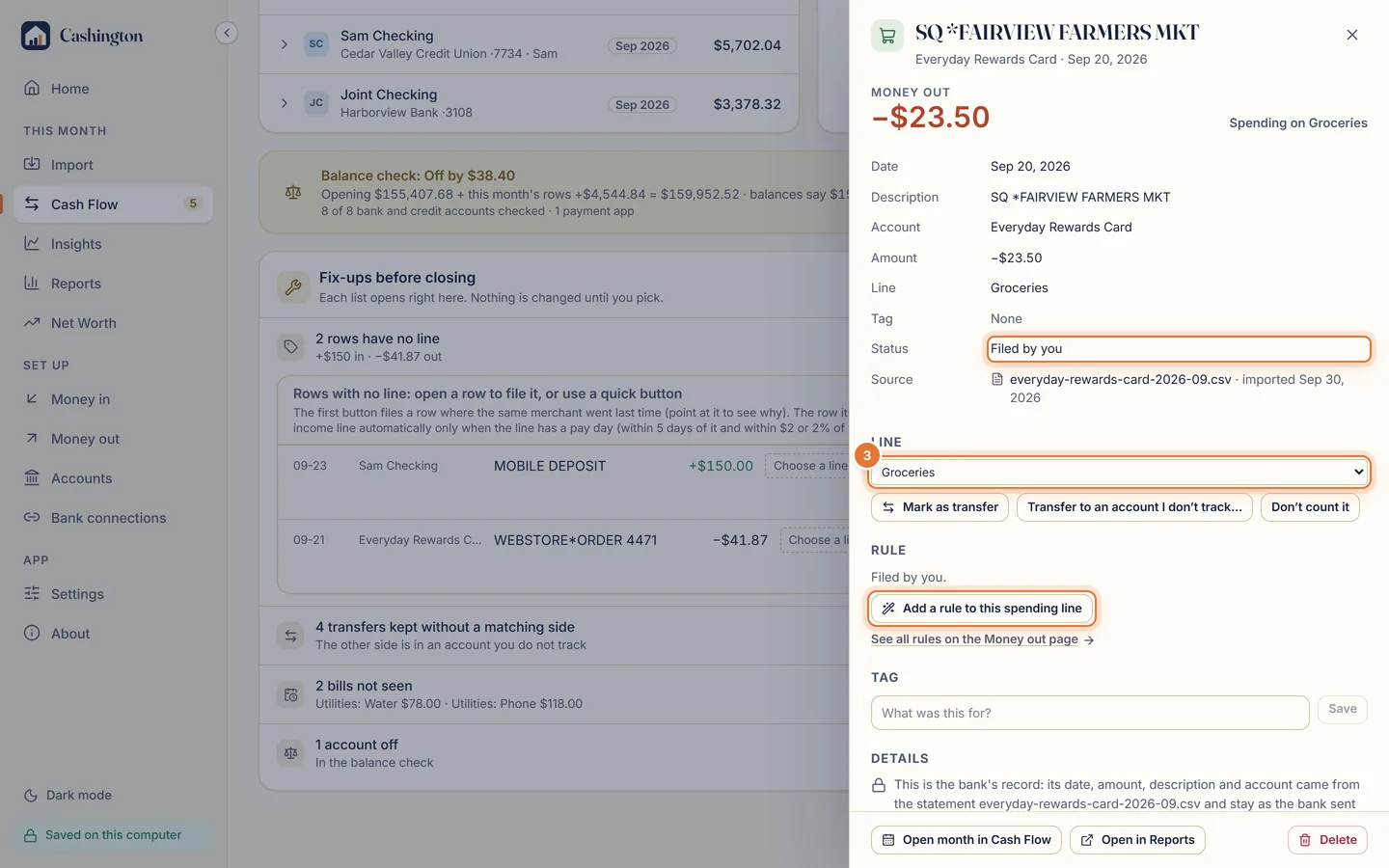
The row opens in the transaction drawer, on its line picker. Pick where the money belongs; the row is filed at once and its status says Filed by you. The same list can also make a new line.
-
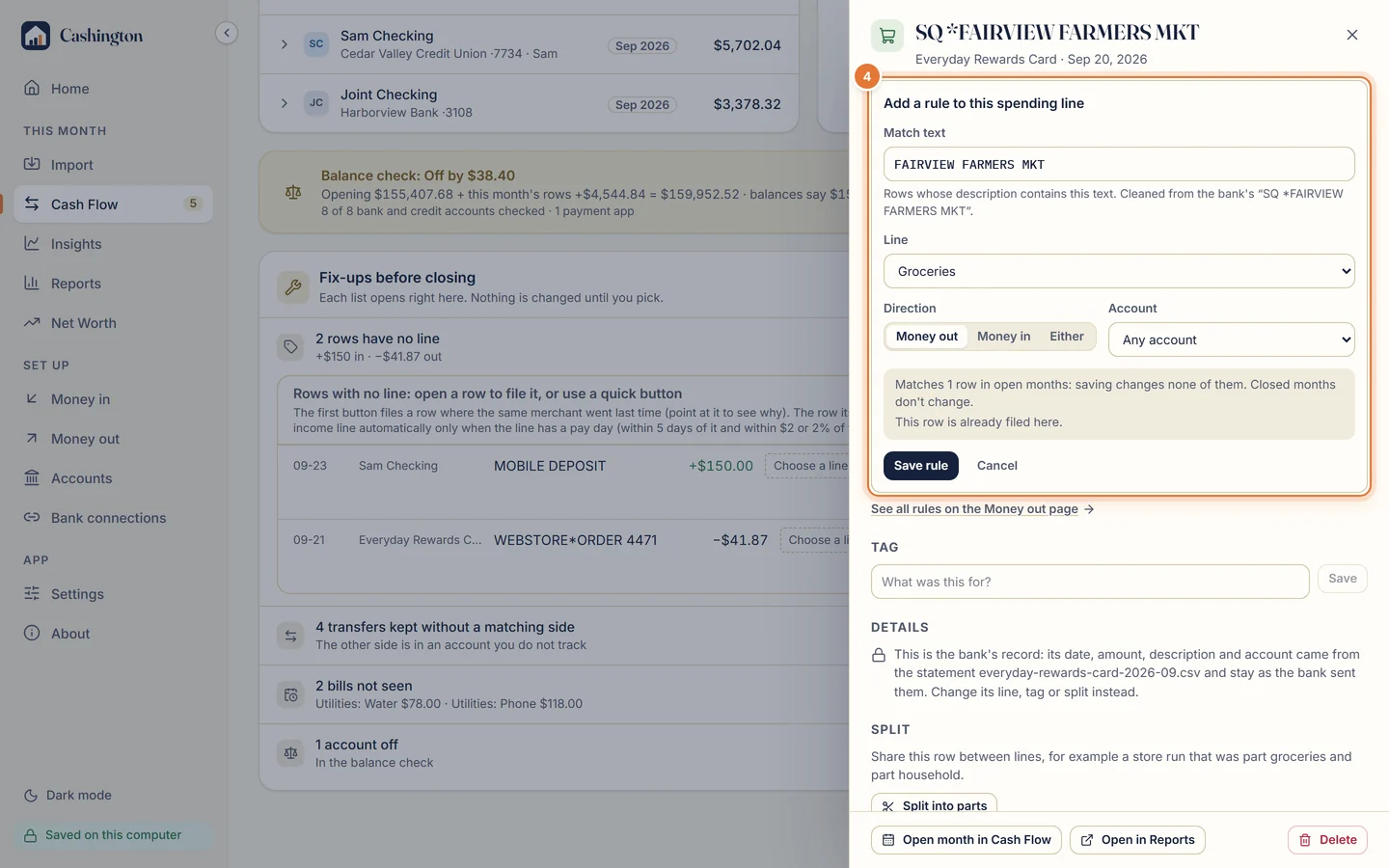
Add a rule to the line
To file the same merchant automatically next time, click Add a rule to this spending line. Keep or edit the match text, check how many rows it would change, and click Save rule.
-
Find it on Money out
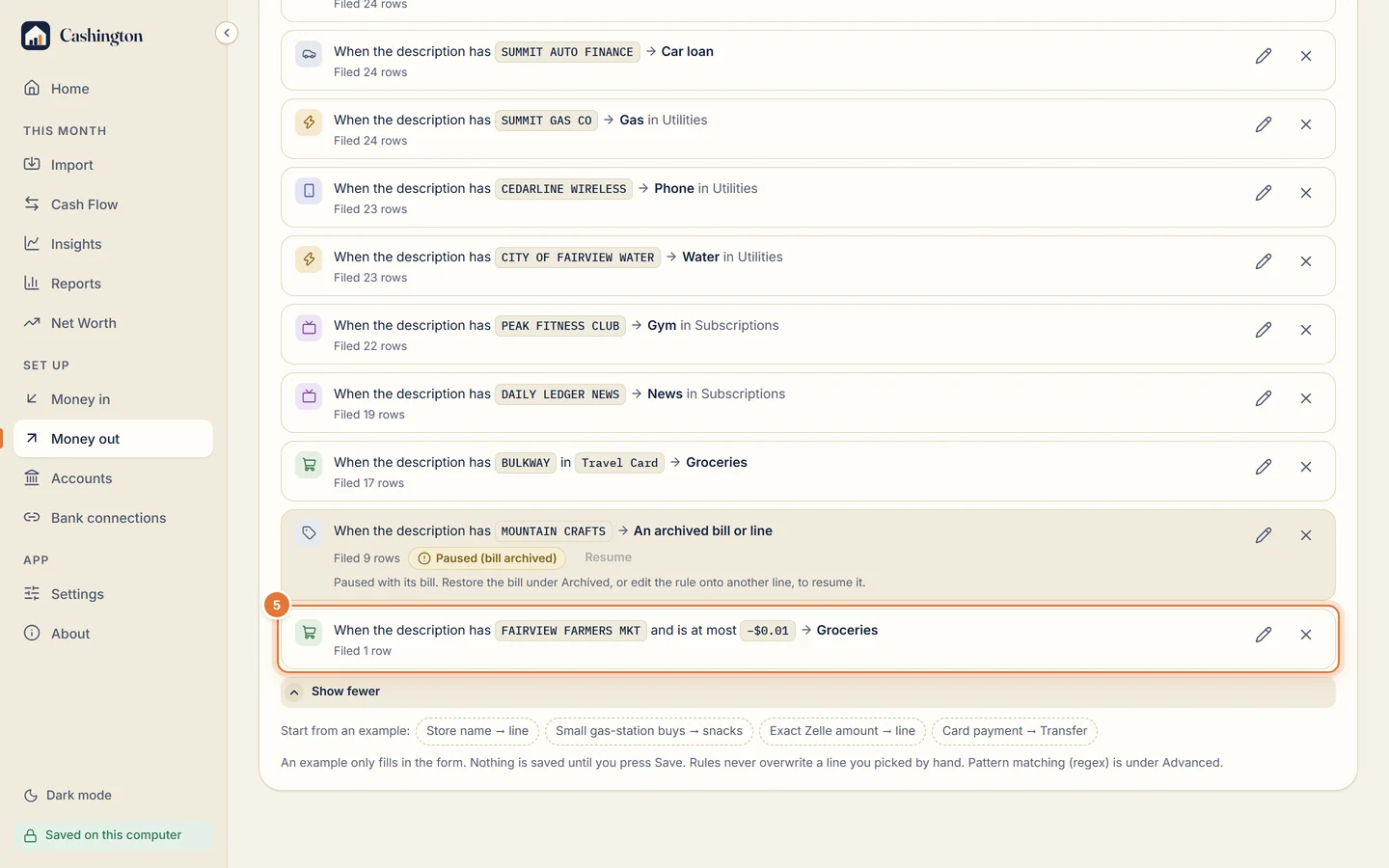
Rules are listed on Money out, under Spending rules, as sentences with a count of the rows they filed. Edit or delete them there.