Cashington
Guides Start here
Set up income lines
What you'll do
An income line is one source of money in: a salary, rent from a tenant, a side job. You give it the amount of one payment and how often it's paid (monthly, twice a month, every two weeks or weekly). Cashington works out how many paydays each month has and matches the deposits when they arrive. Income lines live on Money in, and related ones can share a group, such as Side work.
Updated October 2026 · Cashington 0.2.3 · 5 steps · screenshots show an invented household
-
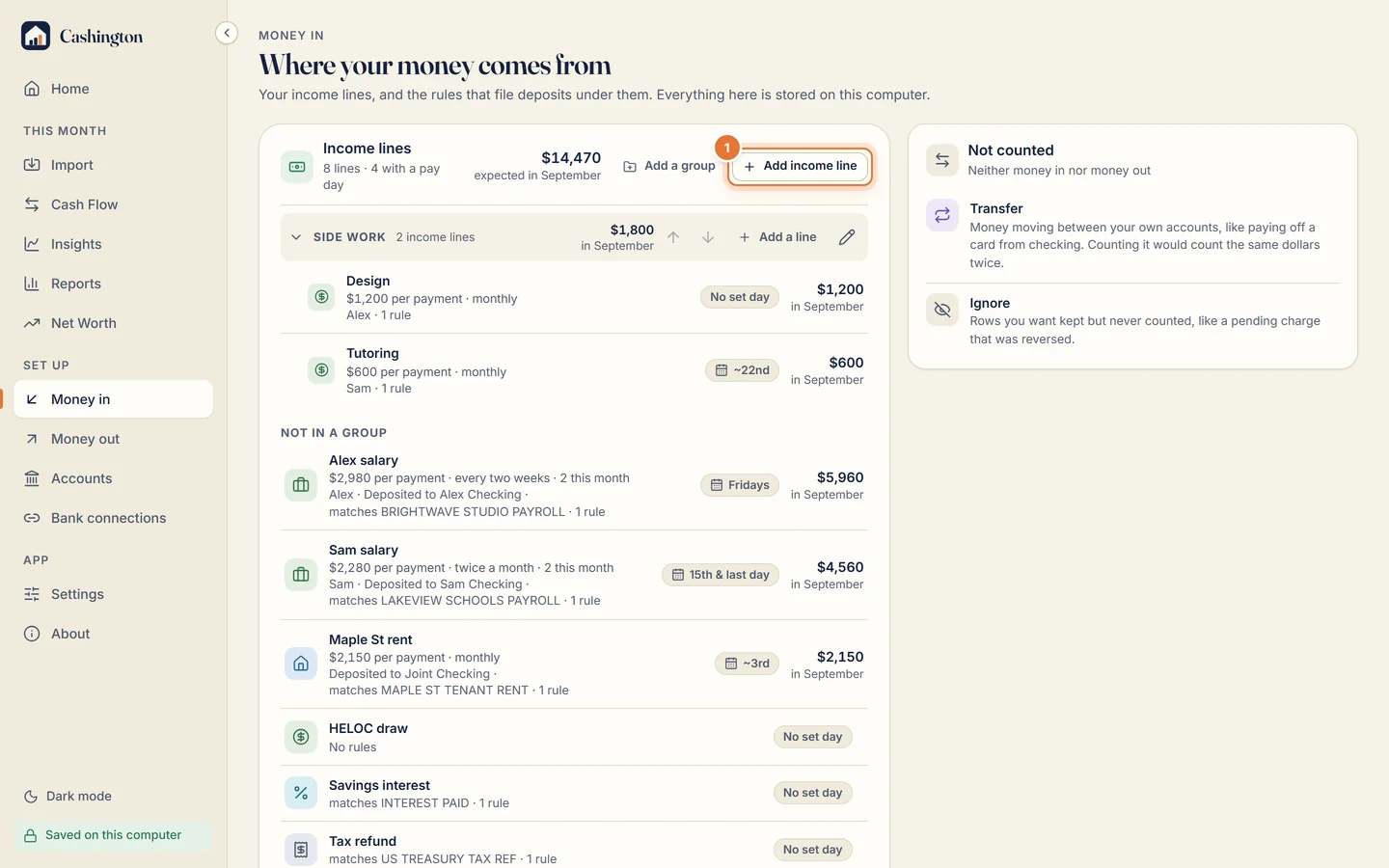
Open Money in
Open Money in, under Set up in the menu. Next to Income lines, click Add income line.
-
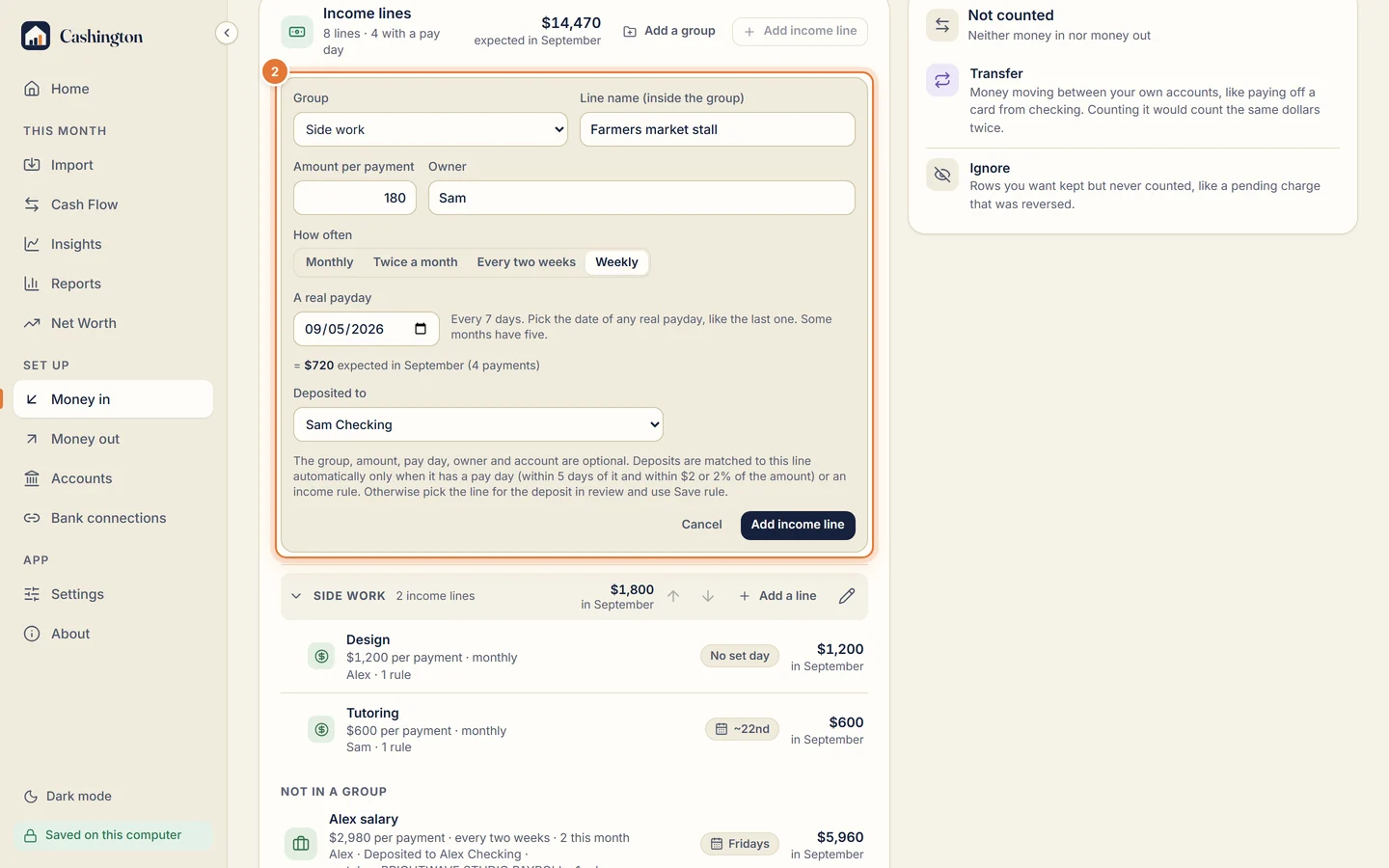
Describe the income
Pick a group if you like, then type a name, the amount per payment and who is paid. Pick how often it's paid. For monthly or twice a month you choose the day or days; for every two weeks or weekly you give one real payday and Cashington repeats the rhythm from it. Deposited to names the account the money lands in. Click Add income line.
-
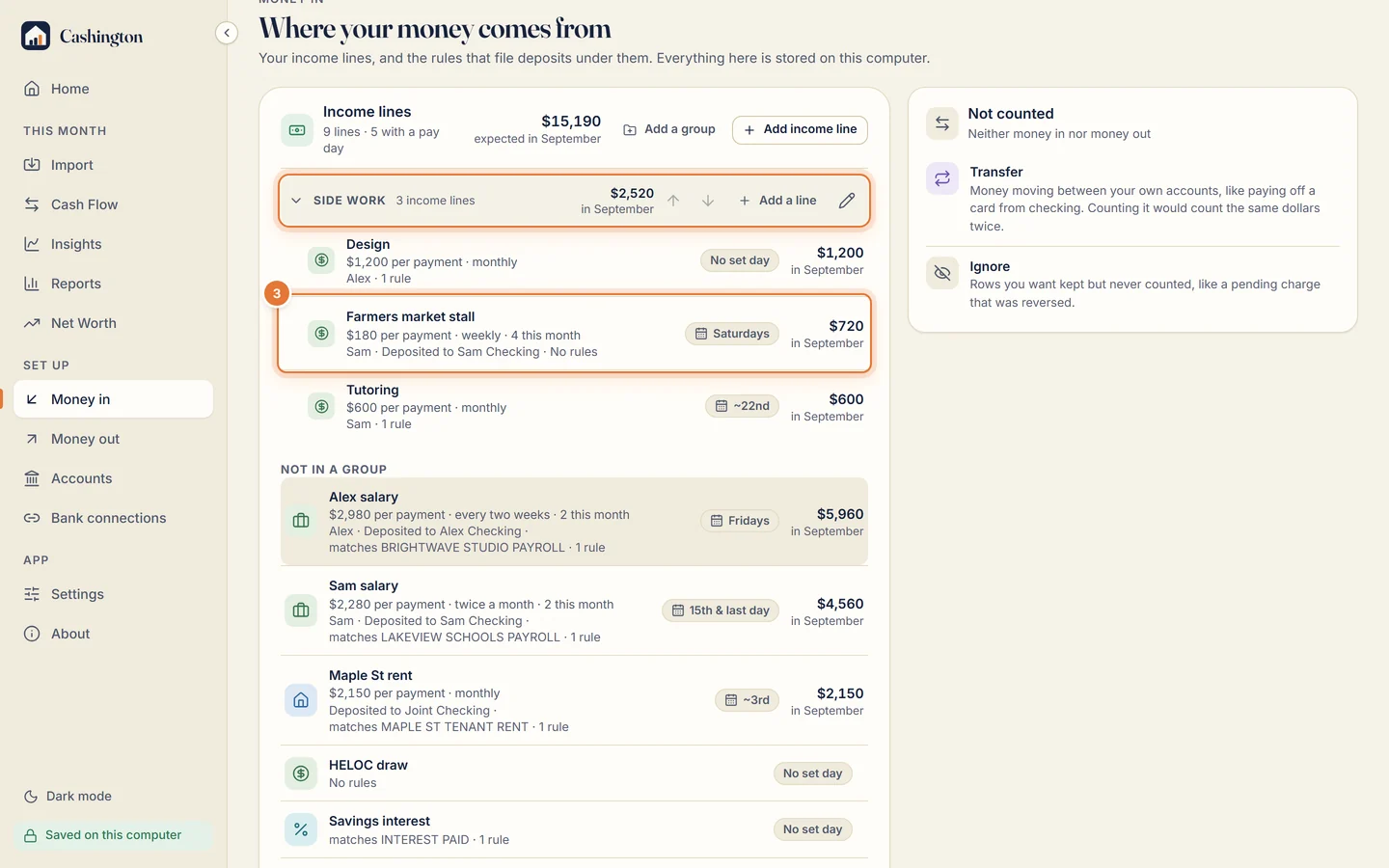
Read the schedule
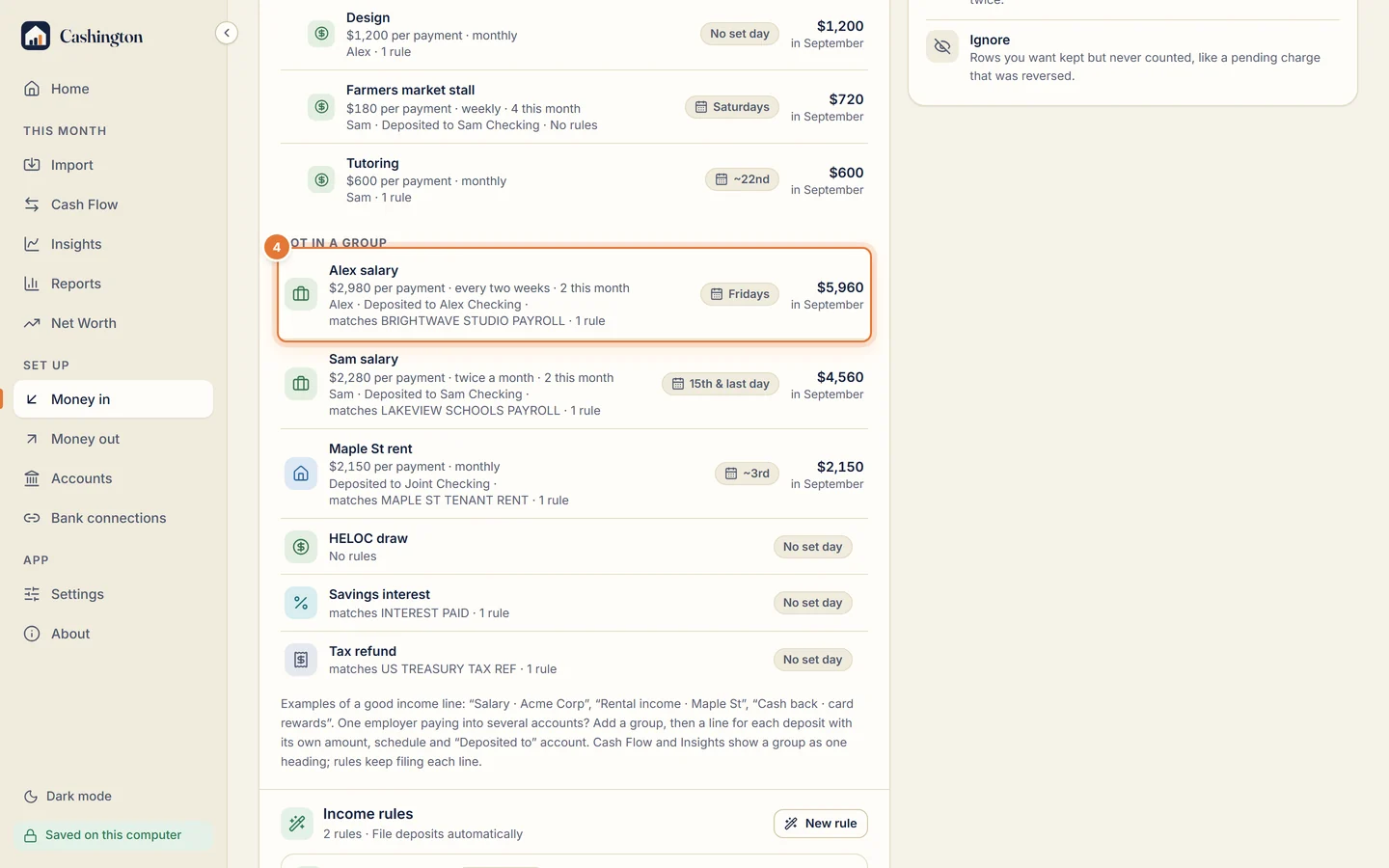
The new line sits in its group and shows the amount per payment, how often, how many paydays fall this month, and a chip with the day, such as Saturdays, or the 15th and the last day. The group's heading adds up its lines.
-
Click a line to change it
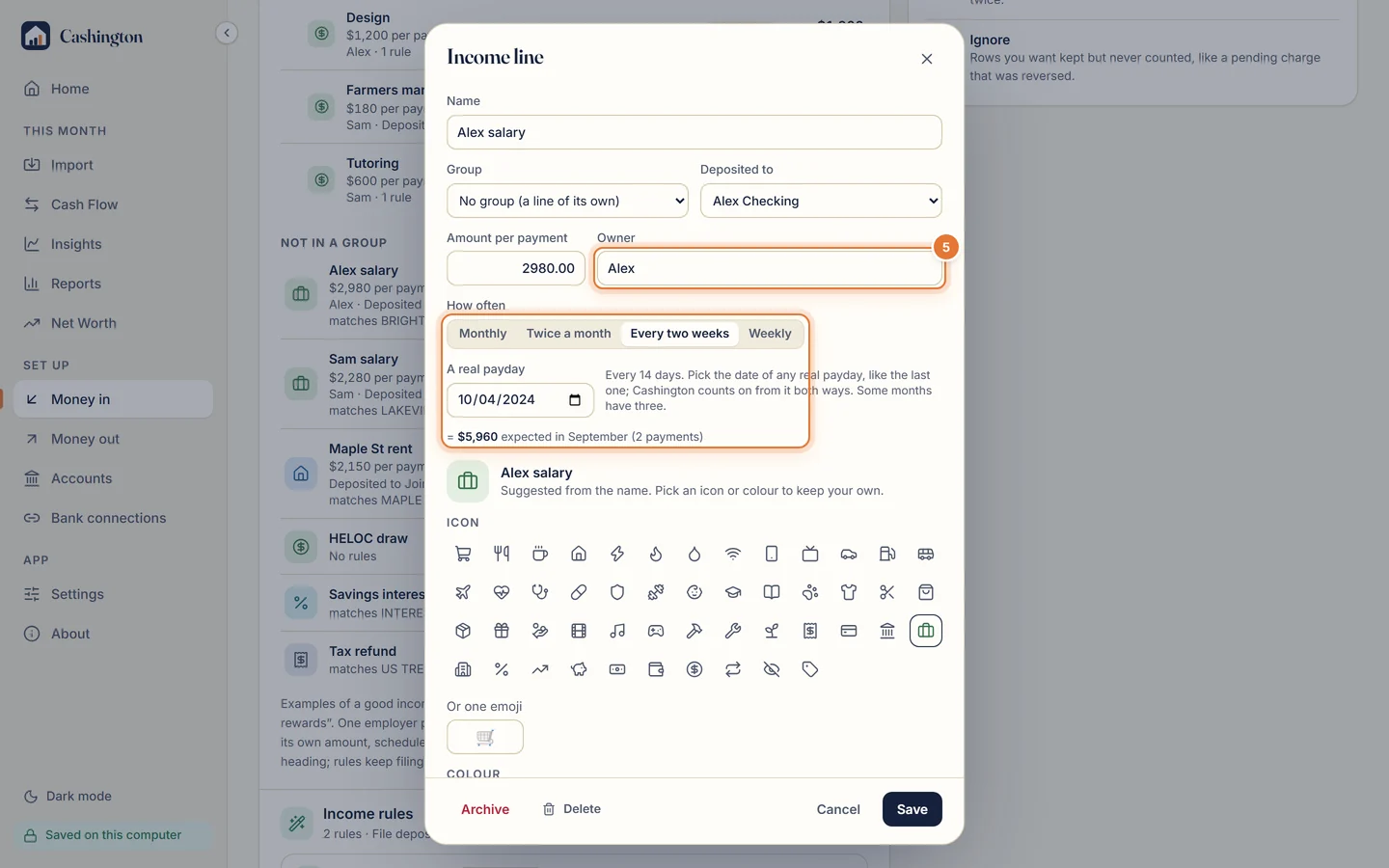
Here, Alex salary: $2,980 per payment every two weeks, on Fridays, deposited to Alex Checking, so $5,960 is expected in September.
-
Edit and save
Change the group, the owner, the amount per payment, the schedule or the account it's deposited to. The line under the fields shows what the month now expects, so you can check it before you click Save.